

Magic Eraser
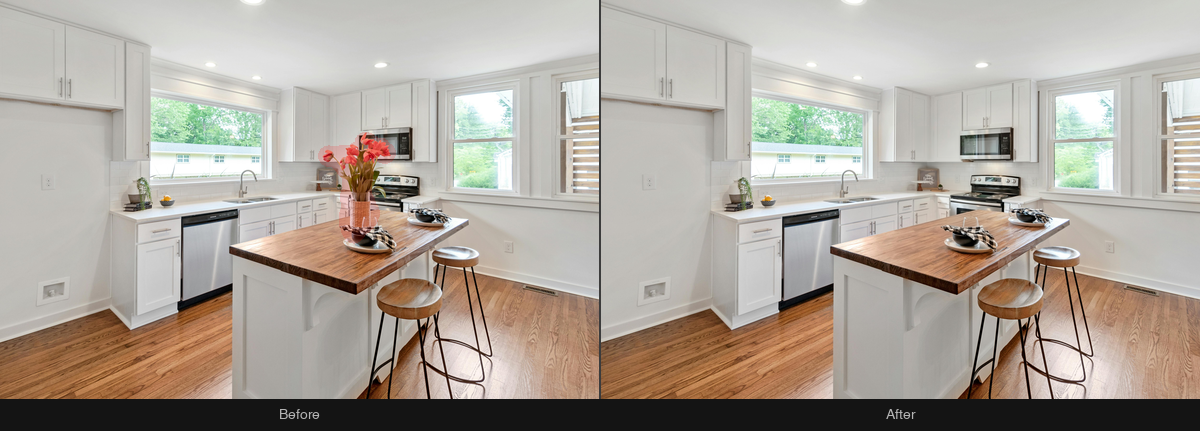
Remove any object from an image by painting a mask over it. The fill blends seamlessly with the surroundings. The mask is an asset like any other: a white-on-transparent PNG uploaded alongside the photo.
Ordering
Submit an order with POST /v1/orders — or one call of SDK. The snippets below cover upload, order, live progress and download using SDK 1.1.0 or Bash with curl and jq. See the SDK installation notes.
/v1/ordersimport { BkbnClient } from '@bkbnlab/api'
const bkbn = new BkbnClient() // reads BKBNLAB_API_KEY
const photo = await bkbn.upload('living-room.jpg')
const mask = await bkbn.upload('mask.png') // white-on-transparent PNG
const order = await bkbn.order({
inputs: [photo],
genEdit: 'magic_eraser',
mask: mask,
})
const result = await order.wait({
onProgress: (p) => console.log(p.stage, p.percent),
})
await result.save('result.jpg')Options
These are REST request fields, alongside inputs. Defaults apply when neither an explicit value nor a selected preset supplies that setting. Shared delivery options are documented under Enhancer. Magic Eraser requires a mask.
| Option | Type | Description |
|---|---|---|
mask | asset | Asset id of the mask (white marks the region to erase). |
Inputs and outputs
inputs takes 1-5 ready, uploaded asset ids owned by your key — the exposure brackets of one scene. Magic Eraser takes exactly one image plus a mask. The completed order carries one outputAssetId. Authenticated GET /v1/assets/:id returns data.url and data.expiresIn; fetch the signed URL without your API key to download the bytes. Output ids cannot currently be reused as order inputs.
Before / After
Drag the slider to compare input and output. Switch between examples below.


Versioning
This page documents recipe magic_eraser@4.1.0. The live catalog — every feature, its version and parameters — is public at GET /v1/features. Minor bumps improve quality without changing the interface.