

Indoor Staging
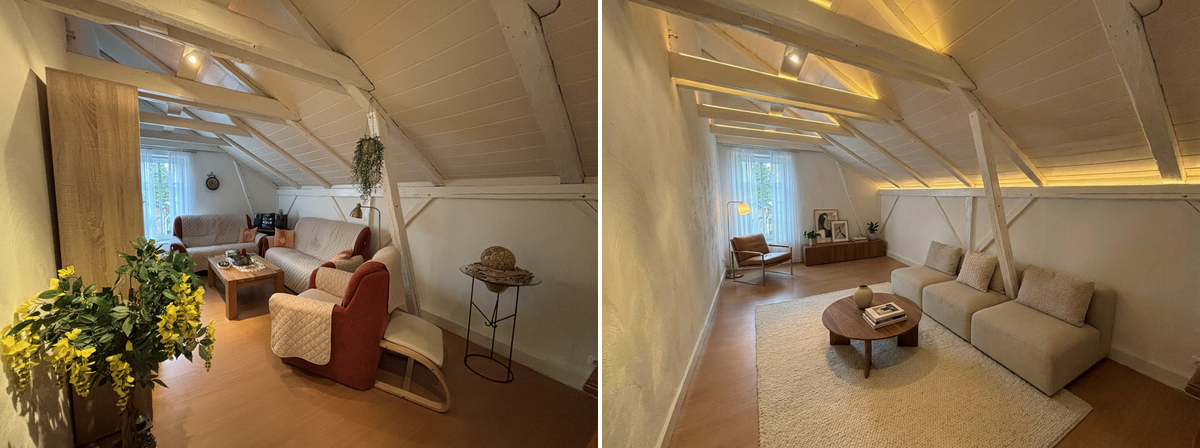
Furnish a room in the selected style. With room_type set to auto, the room type is detected from the photo. An explicit room type that differs from the detected type requests a room conversion. floor_finish and wall_color control changes to the floor and walls.
Ordering
Submit an order with POST /v1/orders — or one call of SDK. The snippets below cover upload, order, live progress and download using SDK 1.1.0 or Bash with curl and jq. See the SDK installation notes.
/v1/ordersimport { BkbnClient } from '@bkbnlab/api'
const bkbn = new BkbnClient() // reads BKBNLAB_API_KEY
const photo = await bkbn.upload('living-room.jpg')
const order = await bkbn.order({
inputs: [photo],
genEdit: 'indoor_staging',
genQuality: 'balanced',
stagingStyle: 'modern',
roomType: 'auto',
wallColor: 'warm_white',
})
const result = await order.wait({
onProgress: (p) => console.log(p.stage, p.percent),
})
await result.save('result.jpg')Options
These are REST request fields, alongside inputs. Defaults apply when neither an explicit value nor a selected preset supplies that setting. Shared delivery options are documented under Enhancer.
| Option | Type | Description |
|---|---|---|
gen_quality | enum | Generation tier for Indoor Staging, Outdoor Staging and Mess Cleaner. Separate from quality, which controls delivery encoding. Options: fast, balanced, best. Default: balanced. |
staging_preset | string | Preset key from GET /v1/presets?feature=indoor_staging. Its values are resolved on the server before explicit staging_style, style_clause (single orders only), floor_finish and wall_color overrides. |
staging_style | enum | Furnishing style. keep requests finish changes without restaging and requires a floor_finish or wall_color other than keep after preset resolution. Options: keep, contemporary, modern, scandinavian, luxury, ikea, industrial. Default: contemporary. |
style_clause | string | Custom furniture style text, up to 1500 characters, replacing the selected look's style text. Single orders only. A non-empty clause is rejected with HTTP 400 when the resolved staging_style is keep, including a clause inherited from a preset. See Custom style text below. |
room_type | enum | Which room the staging prompt targets — auto detects it from the image; a named room that contradicts the detection converts the room within its shell. Options: auto, bathroom, bedroom, child_room, dining_room, kitchen, living_room, office, terrace. Default: auto. |
floor_finish | enum | Replace the floor covering — keep leaves the existing floor untouched. Options: keep, carpet_dark_blue, carpet_grey, concrete_light_grey, hardwood_aria, hardwood_light_brown, tiles_grey, tiles_white. Default: keep. |
wall_color | enum | Repaint the walls — keep leaves the existing paint untouched. Options: keep, white, warm_white, cream, greige, light_grey, sand, taupe, sage_green, olive, powder_blue, terracotta, charcoal. Default: keep. |
Generation and delivery quality
gen_quality selects the generation tier: fast, balanced or best. It applies only to Indoor Staging, Outdoor Staging and Mess Cleaner. The separate quality option controls JPEG/WebP delivery compression. The generation tier does not specify the output dimensions.
Custom style text
On a single order, style_clause replaces the chosen look's furniture style text. Describe how the furniture should look; the room determines what gets furnished.
staging_style: "keep" requests finish changes while keeping the furnishing. It requires a floor_finish or wall_color other than keep. A non-empty style_clause with this mode returns HTTP 400. Validation uses the resolved preset and explicit options: a clause inherited from a preset is also incompatible with an explicit keep override.
Omit style_clause to use the selected look's text. Empty or whitespace-only text also counts as omitted; it does not clear a preset's clause. Batches do not accept the style_clause request field in either defaults or scene overrides.
For a wall finish change, add these fields to the order body:
{
  "gen_edit": "indoor_staging",
  "staging_style": "keep",
  "wall_color": "warm_white"
}
For furnishing with custom style text, use:
{
  "gen_edit": "indoor_staging",
  "staging_style": "modern",
  "style_clause": "Light oak, linen upholstery and warm neutral colours"
}
Presets and overrides
List the active public presets and presets available to your API key:
curl -fsS "https://api.bkbn.ai/v1/presets?feature=indoor_staging" \
  -H "X-API-Key: $BKBNLAB_API_KEY" | jq '.data.presets'
Read data.presets and use a preset's key, rather than its display name or UUID. For a custom look, contact us.
Pass the key as staging_preset with gen_edit: "indoor_staging". The server resolves the preset; explicit staging_style, style_clause (single orders only), floor_finish and wall_color values override its corresponding settings. Omit a setting to inherit it. room_type and gen_quality are separate order options.
In a batch, an omitted scene option inherits the batch value; an explicit scene value overrides it. Preset resolution then uses those merged options. See Batches.
SDK option names
These SDK options correspond to the REST fields below. Other options in the table above keep the same name. Dotted JavaScript names are properties of an options object.
| REST | Python | JavaScript | Kotlin |
|---|---|---|---|
gen_quality | gen_quality | genQuality | genQuality |
staging_preset | staging_preset | stagingPreset | stagingPreset |
staging_style | staging_style | stagingStyle | stagingStyle |
style_clause | style_clause | styleClause | styleClause |
room_type | room_type | roomType | roomType |
floor_finish | floor_finish | floorFinish | floorFinish |
wall_color | wall_color | wallColor | wallColor |
Inputs and outputs
inputs takes 1-5 ready, uploaded asset ids owned by your key — the exposure brackets of one scene. Magic Eraser takes exactly one image plus a mask. The completed order carries one outputAssetId. Authenticated GET /v1/assets/:id returns data.url and data.expiresIn; fetch the signed URL without your API key to download the bytes. Output ids cannot currently be reused as order inputs.
Before / After
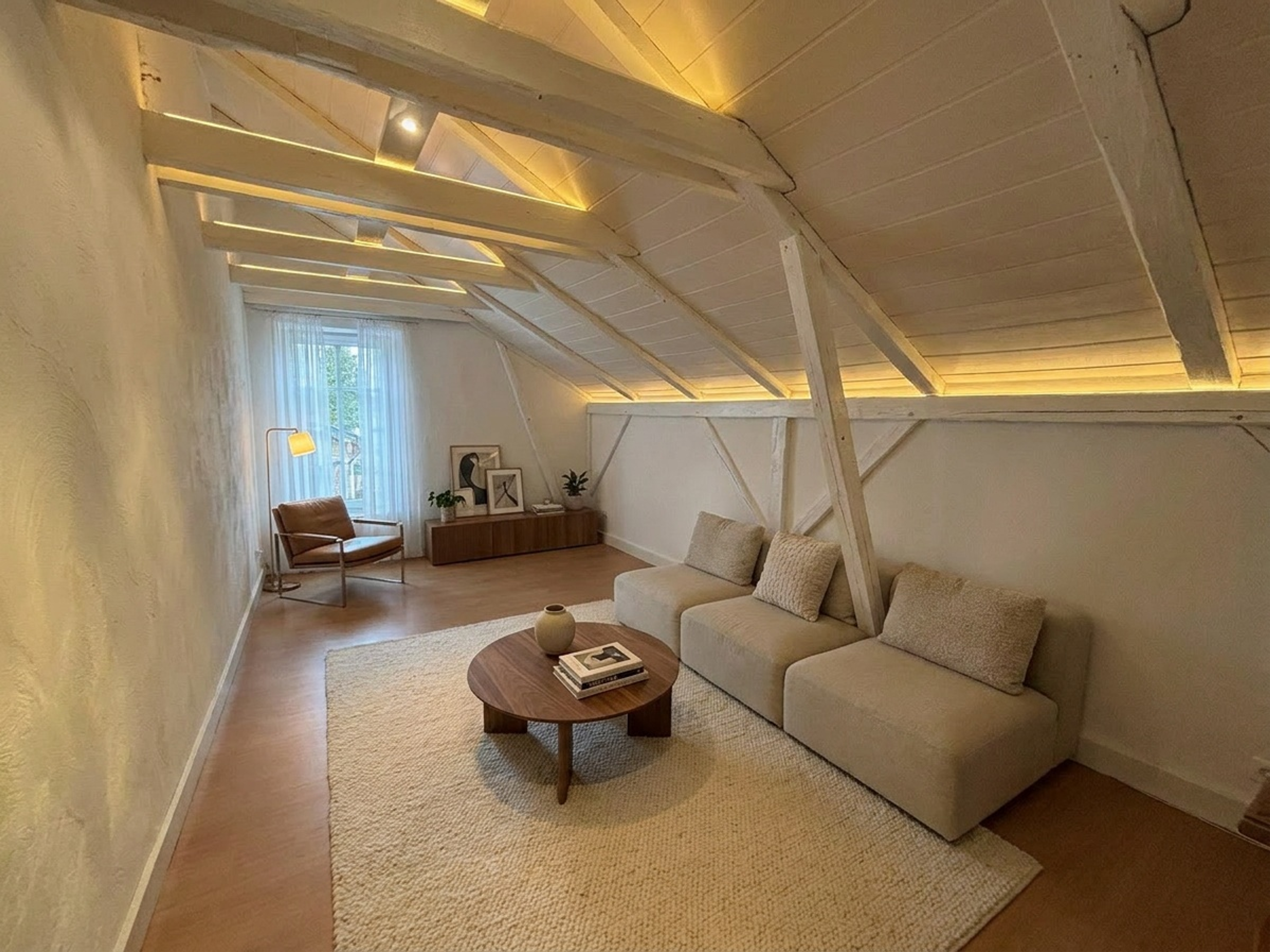
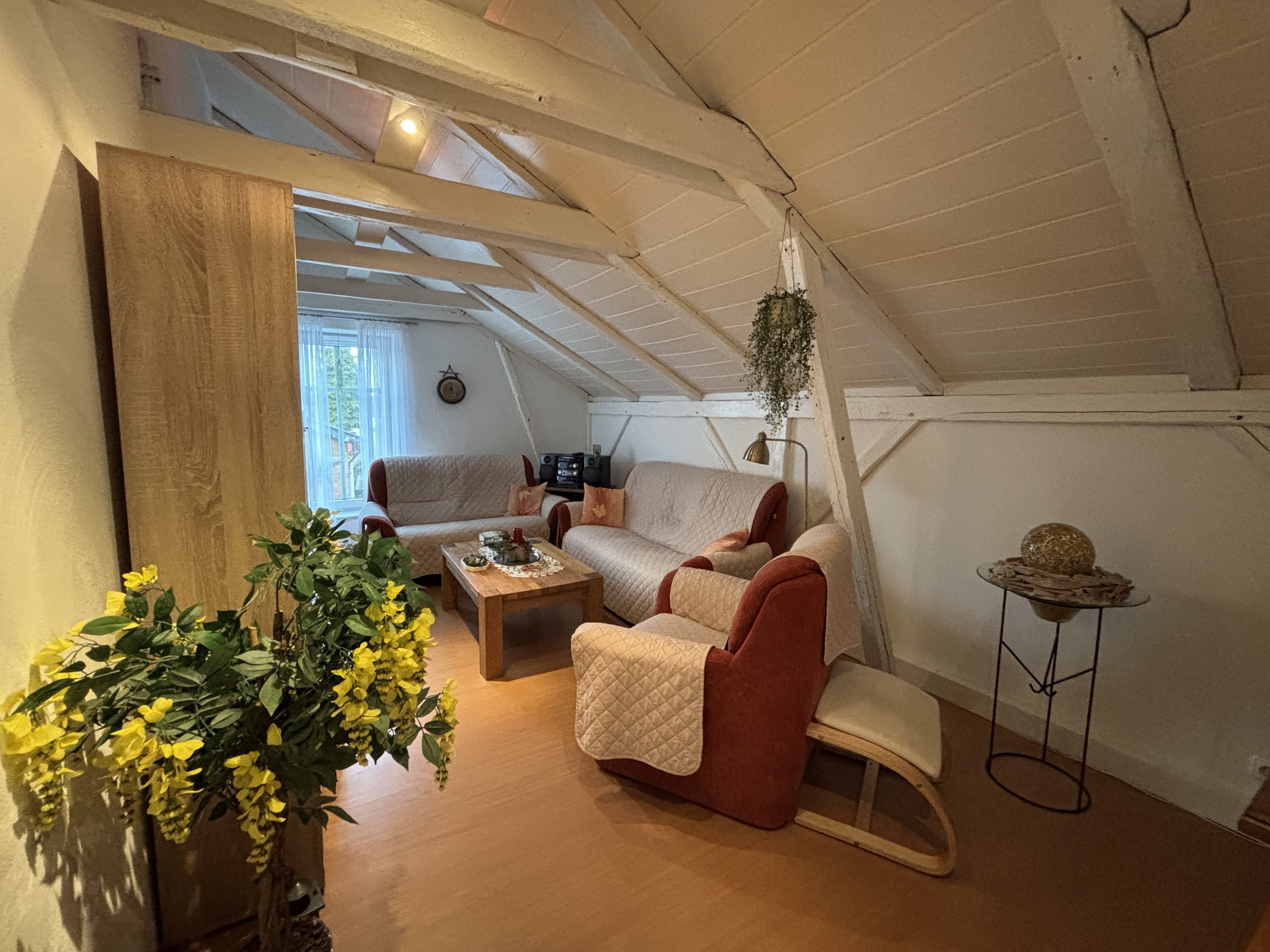
Drag the slider to compare input and output. Switch between examples below.
Versioning
This page documents recipe indoor_staging@1.18.0. The live catalog — every feature, its version and parameters — is public at GET /v1/features. Minor bumps improve quality without changing the interface.